









The Shipyard / Photoshop Postwork Breakdown
My never-ending quest of exploring pure 3d vs. postwork methods of doing architectural visualization has acquainted me with Pixelflakes. There latest “Concrete Cliff” postwork breakdown was pretty fascinating and I asked them if they could do a similar thing, but at night this time! They kindly agreed and the “Shipyard” was born. This is an exclusive Photoshop postwork process breakdown, starting from a raw & rather simple render, taking you all the way to a final striking visual. I’ve also started a cool exercise based on this scene in the forums postwork TECH TALK section… so we can all give it a try. see where it goes!
Pixelflakes is a brand new visualisation company based in Amsterdam, Netherlands. Founded in 2011 the company specialises in architectural visualization & media production. Their team gives back to the community that got them to where they are today, and this tutorial is part of that.
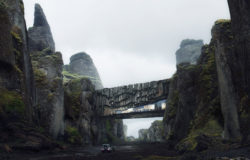
So… the video will show you how to take this raw render…

All the way into this final image…

Pretty amazing transformation for only postworking the raw render. I started to explore this style of visualization with the Black & White Towers miniMAX#01 session on the forums and the forum members picked up on this with great result. It will be nice to see what we can do with this one…
The Shipyard Photoshop Postwork Breakdown
https://www.youtube.com/watch?v=bA0YvxBPdYo
The Shipyard Exercise
I’ve opened a special thread in the forums TECH TALK section for all of you to give it try… You will find the source files for download in the box below. It includes the raw night & a day version, as well as three more passes that will help you during the process.
Go ahead, get the files below and try – The Shipyard Exercise


What a great work, i’m really impressed with the quality of this breakdown! Congratulations to PixelFlakes and Thank you Ronen for posting this article!
@TiagoAlexandrino It is good! you should check their Concrete Cliff video too…
https://vimeo.com/34379344
@ronenbekerman Another piece of artwork! What a great studio indeed! I’m looking forward to learn some of these techniques and apply them in my works..
That´s a great video from a great studio. I really like their work and style. Thanks for sharing, Ronen!
For me, in terms of Pure 3D vs Post work is the fact that any changes, be it a slight angel change to a different chair can be very time consuming. I think the greatest advantage to pure 3d work is you can always add additional camera views at the end with relative ease.
@danieljhatton Totally agree, but you have to see what type of project you’re working for. To get this type of detail in just 3D would take long render times, and ages in 3D as opposed to the hour it took us to do the base render. For an animation obviously it’s a different case – but for one shot post can help a lot… Different per project 🙂
Amazing…now,thats art
Really nice work!! I think after see this Tutorial I’ve learnt more than I’ve expected. The most important thing is not to knew new tools, is to knew how to combine the basic tools that all of us knew at PS, basically thinking on a creative way. Thanks for this post!
@AkselAlvarez I think you nailed it! and I’m about to post a new article related to what you mention here in a day or two 😉 stay tuned…
@ronenbekerman one of the greatest breakdowns of psd work seen so far. The otcome is so moody! =)cold, almost frightful corner on the dock..
You have an impeccable eye. Great share. I have one question. Why did you chose to face the little girl looking to the outside of your image (other than she was your reference photo)?
@whitebirchstud In architectural visualisation you always try and make things point to the main focus point, so I fully understand what you mean. But I think here the scene tells more of a story. She’s waiting for somone. Also the light that reflects on her umbrella gives us the oppertunity to place a shadow on her making the scene slightly mysterious and open for viewer suggestion.
Great tutorial, very similar to how I work tbh. A few tips and settings that I haven’t used yet so I’ll be giving those a try! Cheers.
@ronenbekerman that was a good one. Thanks for the share.
@whitebirchstud Sure thing! I’m watching it now again 😉 Thinking about where I’ll take my version of it.
I absolutely have to agree with Daniel Hatton. I (today in fact) had exactly that problem, a piece of work that I’d done (against my advice) had to be completely changed because the vast majority of it was done in post production, not 3D. If we had done it in 3d, it wouldn’t have been an issue to change anything.
Workflows aside however, this is some of the best photoshopping I’ve seen, very well done.
@Macker202 This is why I am personally still pondering the merits of each workflow and which I’ll take on… perhaps both.
Marvin mentioned previously that this type of workflow does not fit all types of projects. When animation is needed – this is out of the question for sure, you’ll have to do it mostly in 3d and just do basic color grading in post.
For fast jobs, where pre-selection of view points is part of the process and any new angle is considered a new image – then why care if you do it a new this way? it will still take a lot less then pre-building it all in 3d in the first place when you initially only planned for one image for example!
As much as I’d love to nail it all in 3d and then feel free to explore the scene and render any view… I find that the working conditions make it harder to keep to high standards.
Anyway… I’ll give this scene a go on the forums 😉 So should you!
Great tutorial. That is great Ronen, what a fantastic one. I really impressed of what’s the outlook of this Shipyard photo. I honestly don’t know how to do this I only know basic photoshop and I get ashame of that fact. Thanks for this fantastic piece!
@emeliafallick Then you should definitely give the forum exercise a try… With more doing so this could be the chance to up the level of your photoshopping 😉
@ronenbekerman Thanks Ronen! I’ll be waiting for that post with a lot of interest. More or less in the same way I think that topic of “Workflows vs. Clients/Works” have to be considered as a whole. I mean, in every work’s step in the creative field we have to be able to make changes and “corrections” at almost any time. Choosing the right technique is a matter of the final purpose, of course, despite there are good examples of good animations made using 2D illustration, have I to say. To solve that topic I guess is necessary to speak about the relationship with the Client. I’m architect and until this moment I didn’t work as a architecture visualizer, so my experience comes from another fields and as Client of Arch-Viz. I think is really important achieve a good relation based on three elements: clear communication, clear ‘decision making processes’ and respect for the project’s schedule. That is certainly a boring topic!
Great, great, great!!! Very useful tut. Thanks Ronen! I will take part in the forum exercise with pleasure)
Amazing tutorial! big thanks Pixelflakes & Ronen for posting!
Interesting workflow. Stumbled over this image of the same building – possibly 3d as well. @AkselAlvarez – is this a render you decided to create post-tutorial?
https://27.media.tumblr.com/tumblr_lu1w61TI8w1qhop1zo1_1280.jpg
Here is no doubt that it’s a fantastic tutorial for me.By using it the workflow are increasing rapidly.Actually i am looking this about two month.So i am very glad to find out it.
<a href=”https://clippingcreationsindia.com/”>clipping path service</a>
Hey, Really it’s great tutorial thanks sharing this tutorial with us.
https://www.arafinmedia.com/
http://www.arafinmedia.com
Very professional creative design thanks for sharing this tutorial with us.
https://www.clippingpathworkindia.com/
Really that is very helpful tutorial. Thanks for shear
Ahshanul
amazing wok if u can make course online i think it will be good idea
great work! but where is the download?
Thanks for sharing .https://geteasyhacksfree.com/monster-warlord-hack-cheat/
Moving Services in Our Many Companies which is
Done Your Work Properly and Risk-Free with Cost-Free.
There is no any Trouble here for Shifting and Moving Your Goods
From one Place to Others Inside India.
Touch Here For Risk-Free Shifting Services inside India::-
Export Packers and Movers in Chennai @ https://www.export5th.in/packers-and-movers-in-chennai/
Export Packers and Movers in Pune @ https://www.export5th.in/packers-and-movers-in-pune/
Export Packers and Movers in Mumbai @ https://www.export5th.in/packers-and-movers-in-mumbai/
Export Packers and Movers in Delhi @ https://www.export5th.in/packers-and-movers-in-delhi/
Export Packers and Movers in Gurgaon @ https://www.export5th.in/packers-and-movers-in-gurgaon/
Export Packers and Movers in Hyderabad @ https://www.export5th.in/packers-and-movers-in-hyderabad/
Export Packers and Movers in Bangalore @ https://www.export5th.in/packers-and-movers-in-bangalore/
Thank you very much for this article.
Packers and Movers Pune or https://www.great5th.in/packers-and-movers-pune/
Packers and Movers Mumbai or https://www.great5th.in/packers-and-movers-mumbai/
Packers and Movers Navi Mumbai or https://www.great5th.in/packers-and-movers-navi-mumbai/
Packers and Movers Thane or https://www.great5th.in/packers-and-movers-thane/
Packers and Movers Gurgaon or https://www.great5th.in/packers-and-movers-gurgaon/
Really great job!! Could you provide the psd files again please? I downloaded them some months ago but now the link is not longer working.
Thank you very much in advance for sharing your experience!
Hello,
It’s not posible to download the file anymore :/
Is there any chance we could get the file again?!
Merci 🙂
Ohh!! That’s really an impressive tutorial!! Special thanks from me
Regards
Sultan Sumit Arefin
https://clippingcare.com
please upload files again ı beg you
stunning video. Can you please make the download available again.
Thanks for such a great tutorial, Could you please make the files available again? I would be so thrilled if you did.
Could you make the files available please?
PatrickBrazier Files available now!
ArmandoMtz Check it out – available once more!
innershadows9 Files are up and ready for you 😉
boncukbaskan Go and download – files are up once more 😉
jojolapinta Sure – files are up! sorry for the long break in this…
ronenbekerman PatrickBrazier Many thanks, although when I try to download it doesn’t do anything?
Could you please refresh the link?
Hi, could you please make the files available again? Thank you!
Andre Fernandes fixed the file link. should work ok now!
PiotrZasadzki done!
ronenbekerman Worked just fine! Thanks heaps!