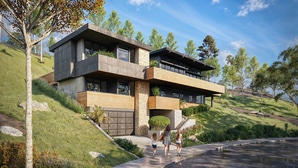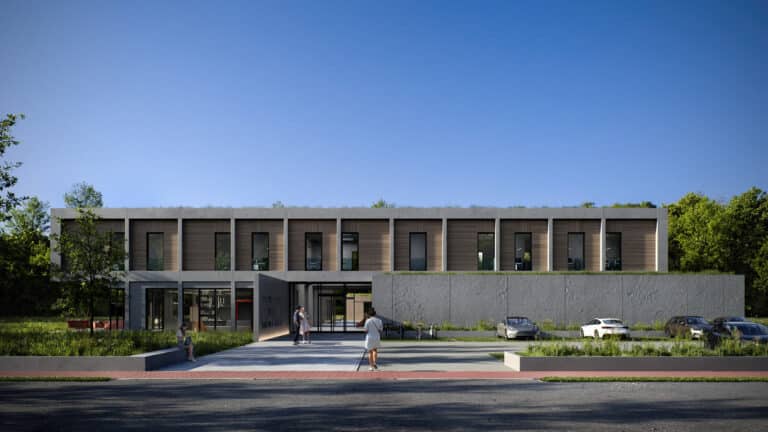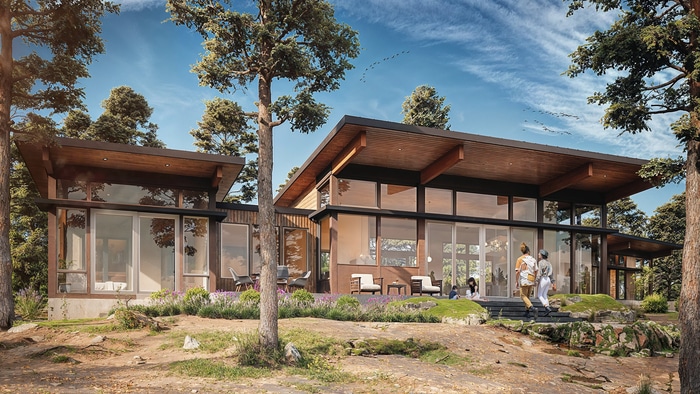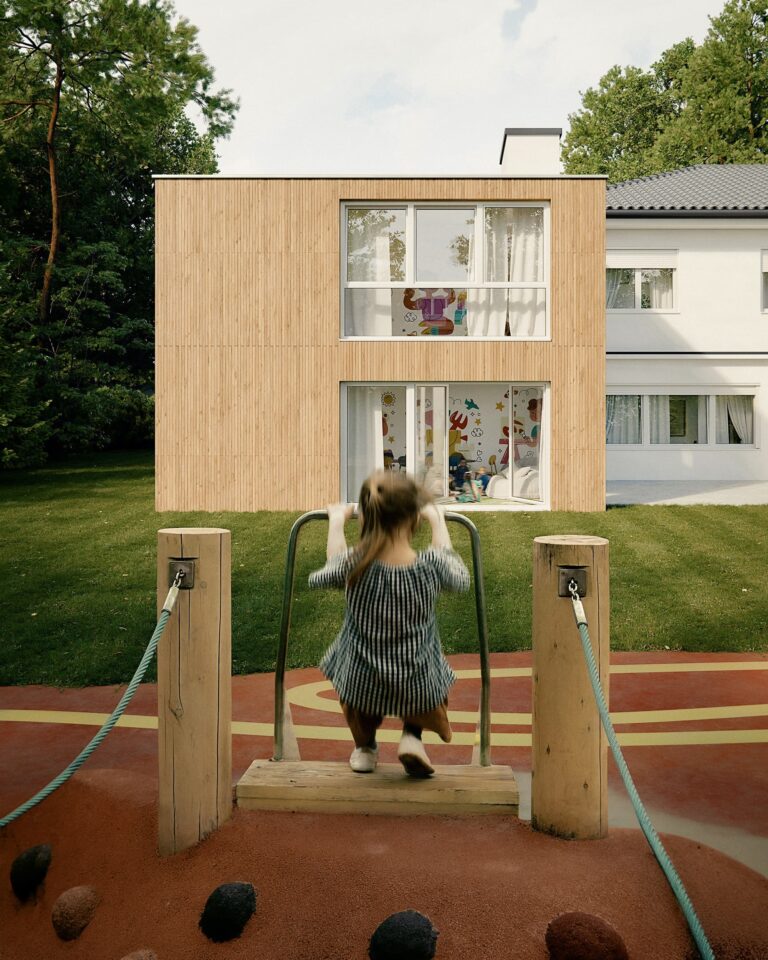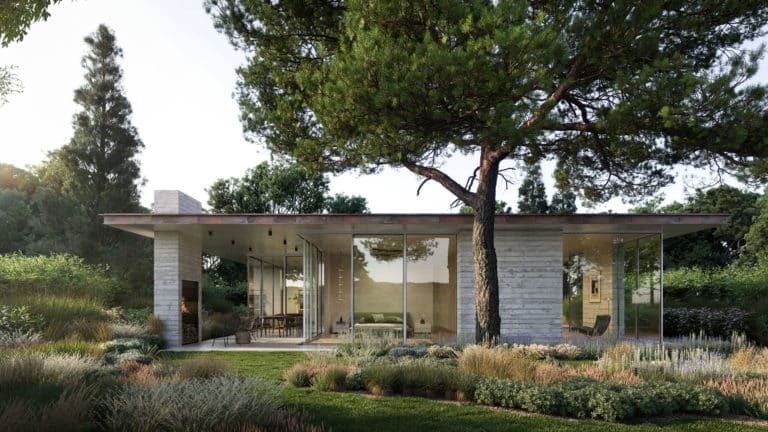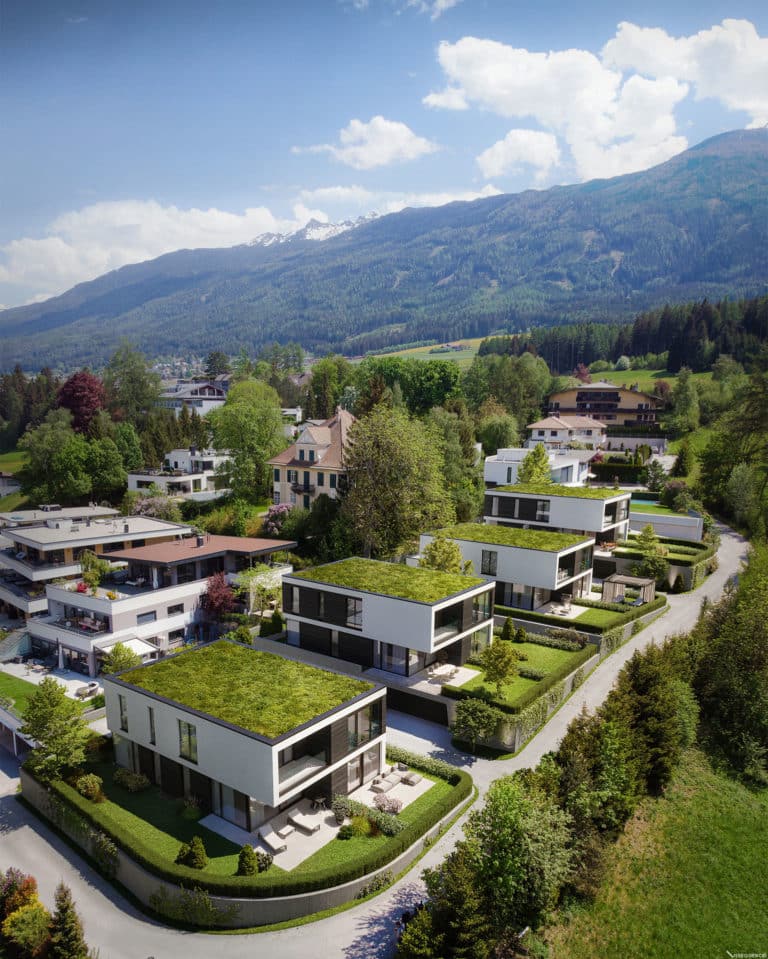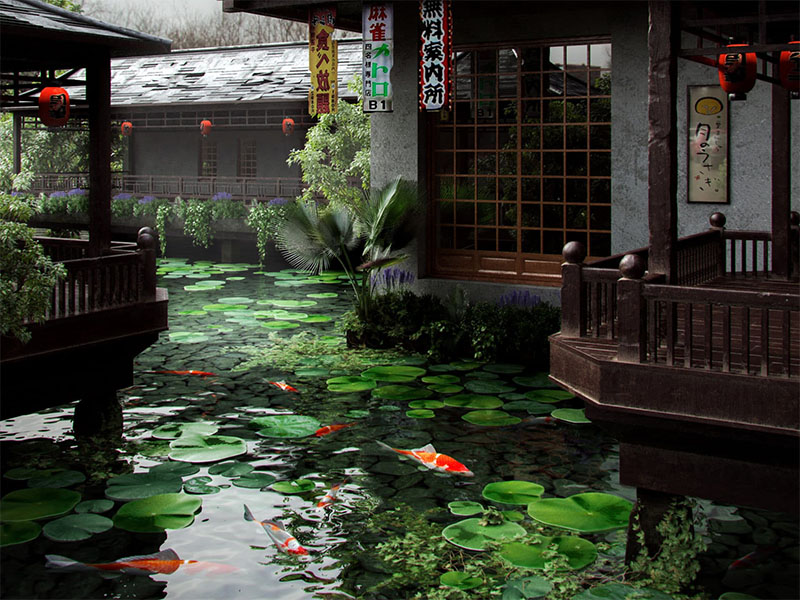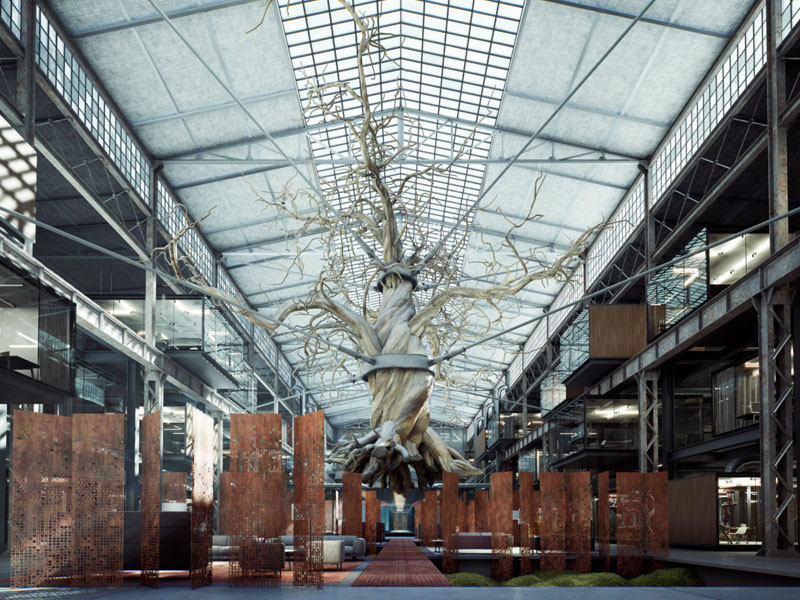

Ronen Bekerman's 3d Architectural Visualization Blog http://www.ronenbekerman.com The source for sharing & learning about all aspects of 3d architectural visualization Mon, 17 Jun 2013 13:46:32 +0000 en-US hourly 1 Making of Garden Office http://www.ronenbekerman.com/making-of-garden-office/ http://www.ronenbekerman.com/making-of-garden-office/#comments Mon, 17 Jun 2013 13:46:14 +0000 Ronen Bekerman http://www.ronenbekerman.com/?p=21164 I love PRE-FAB Architecture a lot, which is probably why two artists have been awarded Best Visualization of the Week No. 16. Sérgio Merêces‘s Garden Office image was one of them, and today I’m happy to share his making-of this scene. Follow him as he describe his process from the initial modeling all the way [...]

Making of Garden Office is a post from Ronen Bekerman's 3D Architectural Visualization Blog

]]>

I love PRE-FAB Architecture a lot, which is probably why two artists have been awarded Best Visualization of the Week No. 16. Sérgio Merêces‘s Garden Office image was one of them, and today I’m happy to share his making-of this scene. Follow him as he describe his process from the initial modeling all the way to final post-production. Enjoy!

sergio avatar Making of Garden Office

Author: Sérgio Merêces

Sérgio Merêces is a 31 years old portuguese 3d artist living in Evora / Lisbon Portugal. He’s working in 3d visualizations for the past ten years, with experience in national and international projects for both architectural and non architectural practices.

Hi all,

I would like to thank Ronen for the opportunity to show my work on the ‘Garden Office’ project and for inviting me to do this making-of. It is always a great pleasure for me to share with all the community some of my tips and workflow that I use in my daily work.

This project was done for a client that makes PRE-FAB small designs of garden modules, which can be used as office, living room, etc.

I made two version of the final image for this project. The first one for the client as per the clients feedback made during the process :

garden office 0 client 728x409 Making of Garden Office

This is how it looks on their website – CUBE_HAUS

garden office 0 client web 728x362 Making of Garden Office

And a personal version I made to be used in my portfolio… Finalizing it after my own taste.

garden office 0 personal 728x432 Making of Garden Office

The Modeling

Provided with plans and sketches by the client, I began the modeling the CUBE module.

garden office 01 728x603 Making of Garden Office

I modeling the base structure using box modeling.

garden office 2 728x464 Making of Garden Office

The wood cladding boards are created by first making a single loop of boards and duplicate them up.

garden office 3 728x525 Making of Garden Office

After that I created the window holes and added details.

garden office 4 728x496 Making of Garden Office

For the windows I like to get as much detail as I can, and in this project even more so as they are a big part of the CUBE module.

garden office 5 728x492 Making of Garden Office

I use a lot of chamfer on the edges, create all the fitting small system details, etc.

garden office 7 728x486 Making of Garden Office

Above is the final model.

Vegetation

For the vegetation and environment I aimed for the best result possible because this visual was intended to show an actual product application in a garden scenario.

For the grass I used iGrass 3d models and some of my own models.

garden office 9 728x423 Making of Garden Office

For the flowers I used iGrass too.

garden office 11 728x433 Making of Garden Office

For the trees I use XfrogPlants.

garden office 10 728x436 Making of Garden Office

To scatter the vegetation and to create the look I desire I use the Forest Pack Pro scattering plug-in for 3dsmax by iToo Software.

garden office 13 728x436 Making of Garden Office

This is how it looks TOP SIDE :

garden office 12 728x509 Making of Garden Office

To spread the grass flowers and clovers I used the paint tool feature of Forest Pack Pro. For the grass field I use 3 types of grass where I mix them when I spread them out.

garden office 14 728x436 Making of Garden Office

And finally I spread the flowers and scrubs.

garden office 15 728x433 Making of Garden Office

Here are the Forest Pack settings docks :

garden office 16 17 18 728x440 Making of Garden Office

And the initial clay render of the scene…

garden office 26 728x431 Making of Garden Office

Materials

I’ll focus on 3 materials used in this scene :

  • Wood Material
  • Metal Aluminum
  • Glass

garden office 22 728x432 Making of Garden Office

Here are the settings for these materials…

Wood

garden office 19 728x702 Making of Garden Office

Metal

garden office 20 599x1000 Making of Garden Office

Glass

garden office 21 728x794 Making of Garden Office

Setting the Lighting

For this project I used a very simple setup of a main VRaySun for the entire environment and a few IES lights for the CUBE lights.

garden office 23 Making of Garden Office

Here are the VRaySun & VRayCamera Settings…

garden office 24 25 606x1000 Making of Garden Office

Initial Lighting Preview

garden office 27 728x431 Making of Garden Office

The Render Settings

garden office 28 728x366 Making of Garden Office

Post Production

Raw Render

garden office 29 728x427 Making of Garden Office

And here are the post production steps recorded inside Photoshop…

That is it!

I hope this helped you and some way and feel free to ask any questions in the comment section below…

Making of Garden Office is a post from Ronen Bekerman's 3D Architectural Visualization Blog

]]>
http://www.ronenbekerman.com/making-of-garden-office/feed/ 0
Making of House 2P http://www.ronenbekerman.com/making-of-house-2p/ http://www.ronenbekerman.com/making-of-house-2p/#comments Mon, 10 Jun 2013 12:15:48 +0000 Ronen Bekerman http://www.ronenbekerman.com/?p=17842 Mark La Frenais did a great dusk visualization of House 2P in Zagreb that was designed by SANGRAD + AVP Arhitekti. Done as a personal project, he based it on a day view photo but went all dusk with it and got a great result. He kindly shares with us a glimpse into the making [...]

Making of House 2P is a post from Ronen Bekerman's 3D Architectural Visualization Blog

]]>

Mark La Frenais did a great dusk visualization of House 2P in Zagreb that was designed by SANGRAD + AVP Arhitekti. Done as a personal project, he based it on a day view photo but went all dusk with it and got a great result. He kindly shares with us a glimpse into the making of this scene here. Enjoy!

Mark La Frenais Making of House 2P

Author: Mark La Frenais

Mark La Frenais is an experienced 3d visualization artists that worked at Designhive, Glowfrog, Vyonyx, MARIS Interiors and currently works at Model Works Media in London, UK.

Introduction

My name is Mark La Frenais and I’m a 3D Artist working at Model Works Media in London. I have worked at a number of visualization and design companies over the years including Glowfrog, F10 Studios and Vyonyx. I feel privileged to have worked and still work with some of the best artists in the industry.

This Image of House 2P by SANGRAD + AVP Arhitekti is a personal project. I was browsing Archdaily for a few minutes with my morning coffee when I came across the House 2P project by SANGRAD + AVP Arhitekti and something appealed to me about the house. I can’t put my finger on it… maybe its elegant proportions or quirky angles, or perhaps that it would only take 5 minutes to model.

This Image is very simple and uses a straightforward workflow – modeling and texturing in 3ds max, lighting and rendering with V-Ray and Post Production with Photoshop.

Modeling / Texturing

The modeling only took an hour or two, thanks to it being (from this view anyway) basically a box, I saved as much reference photography for the house as possible, so the process will be as smooth and correct as can be.

reference 728x746 Making of House 2P

One of the photos was a front elevation, which I brought in to max and traced over. I then used 3dsmax’s camera match utility to align it to a photo close to the angle I preferred and modeled the remaining sides.

grab 01 Making of House 2P

the landscape is also very simple – a plane which I converted to an editable poly and deformed to a slope.

grab 02 728x448 Making of House 2P

The houses’ materials are very simple, only really white stucco and glass. The white render is a basic V-Ray material with a bit of reflection to it with a low glossiness and a subtle concrete texture.

The fun part of the image was the scattering of the grass and vegetation. I was recently introduced to MultiScatter and I played for far longer than necessary fine tuning the grass, rocks, trees and flowers. It is a brilliant plugin and great fun to play with, it’s very intuitive and produced great results with low render times.

Multiscatter test 728x654 Making of House 2P

Sometimes I wonder how I survived for so long without a scattering plugin. The models were mostly content from iCube’s alpine and grass libraries.

grab 03 728x448 Making of House 2P

Composition

Since I camera matched the image I already had a good starting point for the camera, however I felt it could be better. Lowering the camera and widening the field of view made it much more dynamic by really enhancing the angles at the top of the house.

Lighting

The scene is primarily lit with a V-Ray Dome Light using Peter Guthrie’s classic 2003 dusk blue HDRi. I generally leave the multiplier on 1 and adjust the exposure level in the camera to achieve the desired light levels. A more in-depth tutorial can be found on Peter’s very instructive blog or in Ronen’s post – HDR Image Based Lighting 3D Scene Setup.

hdri image based lighting Making of House 2P

HDR Image Based Lighting 3D Scene Setup

This short video is a follow-up on a comment made by alex_starc in the 10 Free HDRI Spherical Skies Maps post. He had issues with the sky being too dark in the render so I just recorded a short session of how I setup my scene with Image Based Lighting (IBL) using and HDRI map. Hope this helps.

Read More…

I used V-Ray sphere lights for the interior and the exterior lights and used a nice warm color to contrast with the cool tones of the sky.

flares 728x550 Making of House 2P

Rendering

V-Ray is my general ‘weapon of choice’ for rendering. I try not to spend ages twiddling every ‘knob and dial’ and I probably could get faster render times and quality if I really honed the settings, but I wanted to get it in to Photoshop where the fun generally starts and not lose interest tweaking settings. It’s a fairly straight forward IR + LC set up. One thing I do like is render elements I get as many out as possible – just in case!

render settings 728x316 Making of House 2P

Post Production

This is usually the most interesting stage of a project for me. Having worked at Vyonyx I realized that absolute anything is possible in Photoshop… Anything! You can work with good render or a bad render or even NO render!

Personally, I like a good base render to start with but sometimes that isn’t always possible.

For exteriors, the first thing I do is replace the sky. I used the back plates supplied with the HDRi and looked at interesting cloud variations and patterns, one thing that is always important is making sure that the perspective on the clouds matches the perspective on the image and the sky usually has to be distorted and warped in to place.

grab sky5 728x632 Making of House 2P

Composting photography… whether people, trees or skies into a CGI always means a bit of correction. One wrongly lit or out of perspective element can really let an image down completely.

These are the various channels outputted from V-Ray…

masks Making of House 2P

The next thing I did to is add the ambient occlusion pass on a multiplier layer as this really helps define all the nook’s and cranny’s of the model and adds a nice bit of contrast. It particularly helped add weight to the grass.

Since a large percentage of most modern buildings is glass it is usually worth spending time on this aspect. I had a channel for the glass and created a new folder, with the glass masked off, into which I added the refraction pass with some slight opacity. This is because at night you can see inside a building with the lights on and I wanted to emphasize that point.

It is worth modelling double glazing, like Peter Guthrie shows us in many of his works, as this added a nice subtle double reflection. I also created a new layer set to vivid and using a soft brush painted in some warm light with color sampled from the render… again, to enhance the feeling of a warm interior.

The next thing I like to do it try and give my images a feeling of depth, there is always a bit of atmosphere between the camera and subject playing it up can help add mood and drama. Using the z depth pass as a mask I created a new layer and started brushing on a bit of fog initially to try to push the trees back at bit, but I liked the effect of a cool night with the fog rolling in so went a little heavier with it.

grab fog4 728x582 Making of House 2P

I made custom brush for the fog. There is a great tutorial about that at the Vyonyx website – Tutorial 02 : Painting Realistic Clouds in Photoshop.

Once all the elements were in, I added a few adjustment layers. For color correction I used curves and color balance along with hue and saturation. this helped tie the layers of the image together and makes for a more tonally unified image.

I also created a black fill layer and set it to color dodge and a layer on top of that using the black fill as a clipping mask and paint in more light and as a final flourish added a bit of twinkle lens flares.

I made the lens flares in video post but you can find them anywhere – CGTextures, Flickr, Gobotree and Shutterstock are great resource for photography.

So this is it… this is the final shot!

House2p medium Making of House 2P

Thanks for reading!

Making of House 2P is a post from Ronen Bekerman's 3D Architectural Visualization Blog

]]>
http://www.ronenbekerman.com/making-of-house-2p/feed/ 0
Rooftops, Rockets and Adventures Beyond http://www.ronenbekerman.com/rooftops-rockets-and-adventures-beyond/ http://www.ronenbekerman.com/rooftops-rockets-and-adventures-beyond/#comments Fri, 07 Jun 2013 11:02:11 +0000 Ronen Bekerman http://www.ronenbekerman.com/?p=21281 I just have to share this amazing labor of love by inspiring CG Artist – Marek Denko. Titled “Rooftops, Rockets and Adventures Beyond” and easily ranks among the best and most amazing visuals I’ve seen to date – subject, composition, color, details, Details, DETAILS! A lot of love went into this gift he made for [...]

Rooftops, Rockets and Adventures Beyond is a post from Ronen Bekerman's 3D Architectural Visualization Blog

]]>

I just have to share this amazing labor of love by inspiring CG Artist – Marek Denko. Titled “Rooftops, Rockets and Adventures Beyond” and easily ranks among the best and most amazing visuals I’ve seen to date – subject, composition, color, details, Details, DETAILS! A lot of love went into this gift he made for his children… A feast for the eyes and soul.

Visit Marek’s Website for more…

rraab 1920 703x1000 Rooftops, Rockets and Adventures Beyond

rraab 1920 shade 704x1000 Rooftops, Rockets and Adventures Beyond

Rooftops, Rockets and Adventures Beyond is a post from Ronen Bekerman's 3D Architectural Visualization Blog

]]>
http://www.ronenbekerman.com/rooftops-rockets-and-adventures-beyond/feed/ 0
Laubwerk 3D Plants Kit http://www.ronenbekerman.com/laubwerk-3d-plants-kit/ http://www.ronenbekerman.com/laubwerk-3d-plants-kit/#comments Wed, 29 May 2013 14:34:38 +0000 Ronen Bekerman http://www.ronenbekerman.com/?p=21170 There’s a new kid on the veggie block that you should be aware of. I’ve tested Berlin based Laubwerk’s 3D Plants Kits for a while now, and it is a very interesting solution for populating your scenes with 3d Trees and Plants. A combination of smart content powered by a plugin from within 3ds Max [...]

Laubwerk 3D Plants Kit is a post from Ronen Bekerman's 3D Architectural Visualization Blog

]]>

There’s a new kid on the veggie block that you should be aware of. I’ve tested Berlin based Laubwerk’s 3D Plants Kits for a while now, and it is a very interesting solution for populating your scenes with 3d Trees and Plants. A combination of smart content powered by a plugin from within 3ds Max & Cinema4D, supporting V-Ray, Mental Ray, Scanline and Advanced Render.

Adding vegetation to my scenes is a big part of my workflow, so any improvement on that aspect has a big impact in turn too. Considering I’m using VRay and VRayRT for rendering and doing all my 3d Scattering with Forest Pack Pro, any good solution must play nicely with both of them!

I’ve grown tired of parametrically creating trees and plants with applications such as Onyx or GrowFX. as good as these apps are and no matter how amazingly good looking trees you can make with them, it is time-consuming and not that scalable. I remember that Onyx TreeStorm plugin had a similar premise as Laubwerk’s Plant kits + Player have, but it was sluggish and just didn’t fly that well.

I found myself resorting to using static trees scattered and painted in with Forest Pack Pro manually managing all aspects of those trees… and this is where Laubwerk Plants Kit + Player came in, in between the complicated parametric approach to the simple and fast static one.

I’m going through the main aspects of the Plants Kit & Player below, but I’m inviting you to try Laubwerk’s Plants Kit Freebie. Grab it here and take it for a spin icon wink Laubwerk 3D Plants Kit

The Laubwerk Player Plugin

The approach of driving the content using a plugin built into 3ds Max (and C4D) is a great one! iToo Software did the same thing with Forest Pack Pro & RailClone and this represents a big productivity boost.

laubwerk plants kit library and player 728x310 Laubwerk 3D Plants Kit

It can’t be any simpler then how it is implemented. Once installed you get a new menu item called ‘Laubwerk’ from which you can call up the library browser and just Drag and Drop the tree you like into the scene. Once inside you can control the way the preview is shown, age, season, leaf density and overall LOD (Level of Detail).

Viewport Preview Modes

There are 3 viewport preview mode:

1

Convex Hull

being the default and most efficient way to work in my opinion, as it offers less load on the screen refresh, and you can block in the trees very easily spotting intersection with scene geometry.

2

Skeleton

Still offering less load on the screen refresh rates but allows you to see through the tree and thus help in placing considering background elements too. With lots of trees I would not go for this one in any case.

3

Render Geometry

For the real deal! This will show you the full detail of the tree and thus offers best possible preview but at a great cost to performance, so only do this for single tree checkup and not on mass!

Here’s the preview scene in all modes…

laubwerk plants kit viewport convex hull 170x170 Laubwerk 3D Plants Kit laubwerk plants kit viewport skeleton 170x170 Laubwerk 3D Plants Kit laubwerk plants kit viewport full 170x170 Laubwerk 3D Plants Kit laubwerk plants kit viewport modes render 170x170 Laubwerk 3D Plants Kit

Since I’ve made the skeleton capture above I got the latest update which looks more like a point cloud and a move in the right direction since it flows way better then wire skeletons. It is not colored currently in 3ds Max but the Cinema4D version does Both 3ds Max and C4D versions of this new skeleton preview pick the colors from the diffuse channel. Looks and flows pretty good in the viewport.

laubwerk plants kit viewport skeleton new 1 0 5 color 728x405 Laubwerk 3D Plants Kit

Here’s how it looks in a Cinema4D viewport…

laubwerk plants kit viewport skeleton new 1 0 5 c4d 728x441 Laubwerk 3D Plants Kit

Age & Seasons

I mentioned smart content, and season support is a great example for that. Laubwerk has taken the load off from you and each tree comes with winter, fall, spring and summer materials.

laubwerk plants kit seasons 728x342 Laubwerk 3D Plants Kit

They are also provided in 3 ages and 2-3 variants.

laubwerk plants kit age and variants 728x509 Laubwerk 3D Plants Kit

10 trees per kit might come across as too little, but you are actually getting 360 possible variants by playing with the variant, age and season parameters.

Laubwerk Plants Kit1 728x409 Laubwerk 3D Plants Kit

Laubwerk Plants Kit1 variations 728x409 Laubwerk 3D Plants Kit

Laubwerk Plants Kit 1 up above includes 10 highly useful, popular tree species in Northeastern America and Europe: box elder, red maple, sugar maple, Paul‘s scarlet hawthorn, ginkgo, kanzan cherry, cypress oak, red oak and globe robi.

LOD / Level of Detail

A very important feature of the plugin is the ability to control the level of detail your tree has. I did not play with that too much other than see it is there and mostly used the leaf amount reduction feature, but you can also control the level of subdivision on branches and if the will show up or not. I know there are plans to make this ‘sensitive’ to the distance from the camera, so that this LOD adjustment will happen automatically on the fly. Currently, it is up to you to prep the trees the way you like considering the distance you place them and amount of detail you need shown.

Below you can see the same tree with various levels of leaf reduction…

laubwerk plants kit LOD leaf amount 728x342 Laubwerk 3D Plants Kit

It might seem odd at first, as the leaf size gets bigger in relation to the reduction of amount, but considering the distance you’ll place these trees – it makes sense. With this LOD adjustment you are not actually aiming for a tree with less leaves. You still want the same visual impact but using less polys for it. See below how it looks…

laubwerk plants kit LOD leaf amount in distance 728x342 Laubwerk 3D Plants Kit

With the Cull feature you can also ‘prune’ branches considering there radius size… but as I mentioned – I did not use that much yet.

laubwerk plants kit LOD branch cull 728x342 Laubwerk 3D Plants Kit

VRay Proxy Support

The way V-Ray Proxy works is it basically sits in the scene and when V-Ray starts rendering, only a bounding box is passed to the renderer. When the bounding box is hit by a ray the geometry is loaded from disk and placed in V-Rays dynamic geometry cache. When the cache get’s bigger than the cache limit in the settings, V-Ray tries to free the memory for objects that haven’t been used for a while. In case a ray hits the bounding box again, it is loaded again.

Laubwerk Plant object behaves the same way out of the box..

It still makes sense to use instances, since the process above then only happens once for that instance. If you have multiple proxies of the same object in the scene, they may still be loaded multiple times and use more memory.

This feature is only working on V-Ray for 3ds Max currently.

Forest Pack Pro Support

Plants Kit are fully compatible with Forest Pack Pro and work with it smoothly in VRayRT too. For example, Forest will pick up the point cloud preview directly from the Plants Kit skeleton object instead of creating it as new. No geometry is hitting the memory like this which results in faster performance. Knowing that iToo Software and Laubwerk are working together in making both plugins work as best as possible I’m sure the level of integration will become tighter in future updates, and controlling tree parameters on mass via Forest Pack Pro could become a reality.

Summary

I really like this plugin, and I am waiting for more content for it! There’s only one kit available now ( + freebie that you can grab at the top or down below), but the 2nd is coming and I know Laubwerk is picking up speed with more kits to come. They built a simple and capable solution that mixes content and a plugin and now more content should be the focus along side the further development of the plugin.

laubwerk 1078 200 v002a 728x121 Laubwerk 3D Plants Kit

The most important aspects of it, and what makes it shine are:

  • Drag and Drop smart 3d trees
  • Render Ready with dedicated V-Ray support
  • Forest Pack Pro compatible
  • built in variations for age and season (36 variations per tree)
  • LOD – Level of Detail control

I’m very much looking forward to a tighter integration with Forest Pack Pro. One that will allow control of tree parameters on scatter. Dynamic LOD based on distance to camera will be a big boost as currently this must be done manually and not practical with large scattered areas as cameras my change… this must be done on the fly. Faster model load/build is also more then welcome. I know they are working on caching solutions so I expect this to be improved soon.

You should really dedicated a few minutes to read Laubwerk’s Technology page and see what are they aiming at. I’ll keep you updated on this one and feel free to ask any question you may have in the comment section below icon wink Laubwerk 3D Plants Kit Don’t forget to get the freebie!

Here are some examples from Zoran Gorski (Kizo) with the Cinema4D Version…

kizo laubwerk convex hull cam03 170x170 Laubwerk 3D Plants Kit kizo laubwerk plants riveralley 01 170x170 Laubwerk 3D Plants Kit kizo LBW test vrtDennis 04 ok 170x170 Laubwerk 3D Plants Kit Kizo IMG 16052013 122646 170x170 Laubwerk 3D Plants Kit kizo laubwerk cam 03 170x170 Laubwerk 3D Plants Kit

Cheers,

Ronen

Laubwerk 3D Plants Kit is a post from Ronen Bekerman's 3D Architectural Visualization Blog

]]>
http://www.ronenbekerman.com/laubwerk-3d-plants-kit/feed/ 0
A Concrete Cube House by Studio MK27 http://www.ronenbekerman.com/concrete-cube-house-by-studio-mk27/ http://www.ronenbekerman.com/concrete-cube-house-by-studio-mk27/#comments Mon, 27 May 2013 06:51:00 +0000 Ronen Bekerman http://www.ronenbekerman.com/?p=21145 I love concrete! Why bother covering it up when done right it looks so good and ages so nicely. I guess it is an acquired taste. Living in a place with so many brutalist architecture examples around, adding the fact I used to shadow my civil engineer father on his site rounds and it is [...]

A Concrete Cube House by Studio MK27 is a post from Ronen Bekerman's 3D Architectural Visualization Blog

]]>

I love concrete! Why bother covering it up when done right it looks so good and ages so nicely. I guess it is an acquired taste. Living in a place with so many brutalist architecture examples around, adding the fact I used to shadow my civil engineer father on his site rounds and it is pretty obvious how it entered my system. I’ll start the week by showcasing the Cube House by Marcio Kogan as photographed by Fernando Guerra… both of which I admire and follow pretty closely. From the various methods of casting concrete, the wood planks cast used here is what I love the most. It feels more natural and works very well with the landscaping. There are some pretty amazing shots here.

Photography by Fernando Guerra.

cube house studio mk27 10 preview 170x170 A Concrete Cube House by Studio MK27 cube house studio mk27 03 170x170 A Concrete Cube House by Studio MK27 cube house studio mk27 05 170x170 A Concrete Cube House by Studio MK27 cube house studio mk27 06 170x170 A Concrete Cube House by Studio MK27 cube house studio mk27 07 170x170 A Concrete Cube House by Studio MK27 cube house studio mk27 08 170x170 A Concrete Cube House by Studio MK27 cube house studio mk27 09 170x170 A Concrete Cube House by Studio MK27 cube house studio mk27 11 170x170 A Concrete Cube House by Studio MK27 cube house studio mk27 12 170x170 A Concrete Cube House by Studio MK27 cube house studio mk27 15 170x170 A Concrete Cube House by Studio MK27 cube house studio mk27 17 170x170 A Concrete Cube House by Studio MK27 cube house studio mk27 18 170x170 A Concrete Cube House by Studio MK27 cube house studio mk27 01 170x170 A Concrete Cube House by Studio MK27

original post Cube House by Studio MK27 at I Like Architecture

This building went into my Material / Concrete board on Pinterest. I invite you to follow me and see what other great things I’ve curated there for some time now.

follow me on pinterest button A Concrete Cube House by Studio MK27

A Concrete Cube House by Studio MK27 is a post from Ronen Bekerman's 3D Architectural Visualization Blog

]]>
http://www.ronenbekerman.com/concrete-cube-house-by-studio-mk27/feed/ 0
RailClone2 by iToo Software Released http://www.ronenbekerman.com/railclone2-by-itoo-software-released/ http://www.ronenbekerman.com/railclone2-by-itoo-software-released/#comments Mon, 20 May 2013 10:09:34 +0000 Ronen Bekerman http://www.ronenbekerman.com/?p=21089 RailClone2 is being released today by iToo Software, the makers of Forest Pack. It is a completely revamped version of the plugin, introducing a new approach to parametric modeling in architectural visualization. Celebrating this release in collaboration with IToo Software, I’m happy to offer all my followers a 20% discount coupon for one week only… [...]

RailClone2 by iToo Software Released is a post from Ronen Bekerman's 3D Architectural Visualization Blog

]]>

RailClone2 is being released today by iToo Software, the makers of Forest Pack. It is a completely revamped version of the plugin, introducing a new approach to parametric modeling in architectural visualization. Celebrating this release in collaboration with IToo Software, I’m happy to offer all my followers a 20% discount coupon for one week only… starting now.

I’m doing 99% of my core architecture modeling inside SketchUP (The new SketchUP 2013 version is out by the way) and there was very little going on for me to change that until RailClone2 came along. I love SU components and how powerful they can be when done right, but RailClone2 is an order of magnitude beyond that and other solutions available for 3dsmax too. Its innovative approach to parametric modelling by using custom meshes, pre-made or defined by the user, arrayed along splines according to a set of construction rules to create sophisticated procedural objects is a game changer. With this tool you can conjure up complete building facades in seconds, fill a stadium with seating, layout roads, build bridges and interactively updated them just as fast too.

Check out this new demo-reel to get a better grasp of what it does :

How RailClone2 Works & Key Features

the plugin is designed to help artists create sophisticated reusable parametric models using an easy-to-understand node based editor. RailClone2 combines, deforms, slices, bevels and distributes meshes known as Segments along one or more Base Reference splines according to construction rules defined using Generators and Operators. The interplay of these three parts is called a Style and is created using the Style Editor.

node editor 728x518 RailClone2 by iToo Software Released

All you need to do is define the construction rules, RailClone2 does the rest for you.

Here’s are a few short videos capturing the work with the Style Editor while creating…

A Brick Wall

RailClone includes a graphical Style Editor, where you can create sophisticated structures, defining the pieces, generators, and construction rules. Randomize elements, add conditionals, define parameters and much more with only a few clicks.

A Bookcase

RailClone 2 allows multiple construction blocks for each object, named Generators. Besides the default linear generator available in RailClone 1.x, the new version introduces Arrays. You can use it to create walls, pavements, facades and other fancy structures.

Stadium Seats

And Using the new Points-cloud view mode, together the native geometry shaders for Mental Ray and V-Ray, RailClone lets you create huge parametric objects, made up of thousands of detailed parts… same level of performance we came to know and love about Forest Pack.

Here is a small segment :

And the big stadium :

RailClone2 Key Features List

  • Easy-to-use style editor using a familiar node-based UI.
  • Create, Save, and share custom styles using the fully customizable library browser.
  • Use predefined styles from an expanding library of over 280 predefined objects including Fences, Railings, Barriers, Traffic, Walls and much more.
  • Create 1D or 2D arrays, target each part of the array with different Segments or create sequences and conditional rule sets.
  • Using the new Points-Cloud display, even objects made from thousands of segments can be easily previewed in the viewports, making modification simple and maintaining effortless interactivity.
  • Use V-Ray and Mental Ray’s native geometry shaders to automatically create instances on-the-fly. Create huge parametric objects, made from thousands of detailed parts, quickly and easily.
  • Advanced algorithms deform geometry to follow curvilinear paths or create double-curved 2D arrays. With RailClone2 sloped walls, handrail stairs, domes, and stepped fences are no longer a problem in 3DS Max.
  • Manipulate segments using operators. Easily mirror, combine, sequence, randomize material IDs or geometry, and create conditional rule sets all from within the style editor.
  • Link properties to numerical parameter nodes to control multiple objects from a single input. Use arithmetic operations to build mathematical relationships between properties.
  • Use closed splines to crop object geometry.
  • Compatible with RailClone 1.x styles.

The RailClone Styles Library

RailClone Pro comes with a Library of more than 280 predefined styles, including Fences, Railings, Barriers, Traffic, Walls, and other models. The library is fully customizable, allowing you to add new categories and models with a single click and share them with your colleages.

railclone library 728x736 RailClone2 by iToo Software Released

The RailClone Gallery

Check out the images on the RailClone Gallery featuring, among others, winners of the miniCHALLENGES that were held on this blog in the past.

railclone gallery 728x666 RailClone2 by iToo Software Released

About iToo Software

iToo Software, founded in 1999 in Spain, is a 3D software development company, creators of Forest Pack and RailClone, plugins for Autodesk® 3ds Max® and 3ds Max Design®. This release is part of the company´s developing program for 2013, which had its first milestone with the release of Forest Pack 4, and will keep on with additional updates throughout the year.

RailClone2 by iToo Software Released is a post from Ronen Bekerman's 3D Architectural Visualization Blog

]]>
http://www.ronenbekerman.com/railclone2-by-itoo-software-released/feed/ 0
Making of House in Giannitsa http://www.ronenbekerman.com/making-of-house-in-giannitsa/ http://www.ronenbekerman.com/making-of-house-in-giannitsa/#comments Mon, 13 May 2013 09:23:54 +0000 Ronen Bekerman http://www.ronenbekerman.com/?p=20894 Vasilis Koutlis from studio xDream3D, recently shared on the forums their work on the Giannitsa House Interiors which I really liked – specifically, the one shown up above for the composition, material work and lighting. I asked Vasilis to share with us some insight about the process of making this scene and this making of [...]

Making of House in Giannitsa is a post from Ronen Bekerman's 3D Architectural Visualization Blog

]]>

Vasilis Koutlis from studio xDream3D, recently shared on the forums their work on the Giannitsa House Interiors which I really liked – specifically, the one shown up above for the composition, material work and lighting. I asked Vasilis to share with us some insight about the process of making this scene and this making of was born. Enjoy!

Vasilis Koutlis Making of House in Giannitsa

Author: Vasilis Koutlis

xDream3D is a team of experienced designers with a high level of knowledge in 3d Visualization & Graphic design. The team’s philosophy is detailed design and all projects are approached by an artistic perspective. Vasilis Koutlis was born in Athens in 1979. He studied furniture design. He began his occupation with 3d art in 2002, but then it was simply a hobby. In 2007 the idea of xDream3D was born and he started collaborating with local and foreign clients.

Hi guys!

First of all, I would like to thank Ronen for having us in his website and for paying attention to our work. I have to admit that after our last year’s distinction and the awards I was given by the blog for my personal project The Cube House, many new clients approached us and thus we gladly stepped up to the plate when asked to write about the making of our last project.

Here are the images we made for it…

HouseInGiannitsa Camera 01 170x170 Making of House in Giannitsa HouseInGiannitsa Camera 02 170x170 Making of House in Giannitsa HouseInGiannitsa Camera 03 170x170 Making of House in Giannitsa HouseInGiannitsa Camera 04 170x170 Making of House in Giannitsa HouseInGiannitsa Camera 05 170x170 Making of House in Giannitsa

In the project – House in Giannitsa, we were asked to work on a design style which does not suit us, the neoclassical. Our proposition was to combine a few modern lines with clean-cut ones mostly in constructions and furniture so that the final result would be more appealing to the young couple.

Therefore, having the floor and the ceiling as our basis, since they were the two things the client liked, we made an effort to create a space that was basically functional and intertemporal. These are the pictures and the floor plans we received from the client in order to study his space.

HouseInGiannitsa 01 1 728x514 Making of House in Giannitsa

Modeling & Decoration Style

Apart from the masonry of the house and some other constructions such as false ceilings, fireplace, TV cabinet and radiator covers all the other models I used for furnishings and decorations are ready-made 3D models by Designconnected and Evermotion so I will not mention these simple modeling techniques. I prefer to show you the study process we follow when we deal with this part and how it relates to the project photorealism.

In the beginning, the furniture was arranged to see the functionality of the space.

HouseInGiannitsa 02 1 728x528 Making of House in Giannitsa

After quickly placing a camera and lighting I did some render tests in order to have something to talk about with the client.

HouseInGiannitsa 03 1 728x528 Making of House in Giannitsa

The client didn’t like the result so much… To be honest, I didn’t like it either. So I began to rearrange the furniture and tried to fix the whole lighting issue that we will discuss later. The result after a few tries.

HouseInGiannitsa 04 1 728x528 Making of House in Giannitsa

Software Used

The most common computer software we use are 3ds Max, V-Ray and Photoshop.

The basic scene setup I use since 2010 is LWF Gamma 2.2 and I’m very pleased with it… especially with the shaded parts of my project. In order to work properly with LWF you need to use professional monitors and calibrator to see everything in gamma 2.2 and to have a really smooth gradation of the medium hues. Personally, in my main PC I use 2 Lacie 324 monitors.

HouseInGiannitsa 05 728x242 Making of House in Giannitsa

Camera Setting

The choice of the photograph perspectives is something we adjust depending on the space. I can say that my favorite style generally is the low height. Usually, the height I choose to place my camera is not over 120cm.

HouseInGiannitsa 06 728x576 Making of House in Giannitsa

With V-Ray camera I usually use the rule of thirds. Below you can see how we adjust it in the Viewport Configuration.

HouseInGiannitsa 07 728x315 Making of House in Giannitsa

The most important thing in adjusting the camera is white balance. The choice of the right color gives us a result where white color appears clear on our monitor. Here you can see an easy tutorial for choosing the proper white balance – White Balance setup with V-Ray Physical Camera and 3ds Max.

HouseInGiannitsa 08 728x424 Making of House in Giannitsa

As for the other camera adjustments, the only thing I find worth mentioning is the choice of shutter speed which may need totally different numbers depending on the HDRi we’ll use.

Lighting

In my opinion, lighting is the most important element in 3d visualization and especially if doing it photo-realistic. When we lighten the scene properly, we have the following advantages.

  • Quick test and final rendering.
  • Beautiful and realistic material rendering.
  • Will to finish our render in the best possible way!

In this project I paid great attention to the lighting since I wanted a result combining day light and artificial lighting. As a main source of light I placed a V-Ray Light Dome with an HDR map from CGSource.

HouseInGiannitsa 09 728x474 Making of House in Giannitsa

I did these tests for all materials just with this lighting. When I finished most of them I added some IES photo-metric files and not V-Ray IES even if they are faster. I have noticed that the quality of the shadows with photometric IES is way better. I specifically chose IES files from the model+model Vol. 04 – Architectural Lights due to there excellent quality. Apart from the IES, I also used a V-Ray Sphere Lights for every spot to give a low-key light to its interior.

HouseInGiannitsa 010 728x316 Making of House in Giannitsa

Then, for the hidden lighting I used V-Ray mesh lights. It’s the quickest and most practical way to create hidden lighting, especially in complicated false ceilings. The only “secret” here is that the modeling of the recess should be realistic so that the light can be realistically diffused inside the space.

Additionally, I used two V-Ray Plane Lights for the openings but not with a skylight portal. I gave a slight intensity Multiplier of 2 so that the space can be brighter and the noise can go away without any high number of subdivis for the materials. An extra tip I used is that I excluded the windows from the two V-Ray Plane Lights, but not from the curtains because I wouldn’t have a realistic result. This improved the render speed a lot!

HouseInGiannitsa 12 728x314 Making of House in Giannitsa

I have been studying lighting for quite a while now. I’m still not totally pleased with the result…

Hopefully, I will be! Lighting an indoor space seems like a solution to an equation which, in order to find, we really need to know math (here, math is light). I would like to cite an article of mine in Vray World hoping that it will help new 3d artists as far as some general light principles and photography are concerned – Light in 3d Photography.

Materials

The materials I used were simple. In furniture, apart from a few minor changes, I didn’t change many things since the materials by Designconnected are of high quality. I will only show you the ones I created myself.

The Floor

The only thing worth mentioning here is that when we have a dark floor I use V-Ray Override Mtl to control the dark bounce of photons that will hit the wall and change the colors in the scene.

HouseInGiannitsa 13 728x364 Making of House in Giannitsa

The Wall

The wall’s material is important and together with the window glass they help light to propagate better in the room.

HouseInGiannitsa 14 728x459 Making of House in Giannitsa

The Wood

It is really nothing special; just a lot of subdivis for smoother results without noise.

HouseInGiannitsa 15 728x796 Making of House in Giannitsa

Render Settings

I generally try not to make extremely high adjustments in the final renders. Just as much as needed to have a clean result as soon as possible. For example, in this project every render had a render time of about 1 hour at 2500px resolution and with a 20 core distributed render.

HouseInGiannitsa 16a 728x458 Making of House in Giannitsa

HouseInGiannitsa 16b 728x460 Making of House in Giannitsa

Post Production

For the color correction I would like to show a design from this project. I think that the most useful tip is color correction in the frame buffer during test renders. I like to play with levels and curves. I never touch exposure.

HouseInGiannitsa 17 728x453 Making of House in Giannitsa

I save all render layers in .png format. Then I open Photoshop, File-Scripts-Load Files into Stack to quickly put all layers in the same .PSD file. This is the difference between original render and Post Production.

HouseInGiannitsa 18a 728x439 Making of House in Giannitsa

HouseInGiannitsa 18b 728x441 Making of House in Giannitsa

As you will find out there isn’t a huge difference because the first color correction has already been made in the Frame buffer. The first step concerns raw layers with which I slightly change GI and reinforce reflections. I sometimes use raw but also simple reflection as I did here with blending mode soft light. Below you can see all the adjustments of the raw layers one by one.

HouseInGiannitsa 19a 728x358 Making of House in Giannitsa

HouseInGiannitsa 19b 728x360 Making of House in Giannitsa

Then I continued with CC (Color Correction) adding a color balance and a curve for more contrast.

HouseInGiannitsa 20 728x393 Making of House in Giannitsa

Then, with the help of selective color and render layers Wire Color and Render ID I chose specific parts of my render (Carpet, bag, walls, lacquer, marble, table, and sofa) creating masks and correcting their colors so as to look more vivid and normal. This is a process where the numbers we change are not standard. It takes a lot of practice and experience… Just do not be afraid to experiment and work with reference images trying to achieve the true colors you want.

HouseInGiannitsa 21 728x514 Making of House in Giannitsa

Finally, I used Lens Correction creating a little distortion to the lens and chromatic aberration. Due to the fact that this creates a blur to the pixels I used a simple sharpen filter to finish it.

HouseInGiannitsa 22a 728x494 Making of House in Giannitsa

HouseInGiannitsa 22b 728x465 Making of House in Giannitsa

HouseInGiannitsa 23 728x514 Making of House in Giannitsa

This is it! I hope you liked it and found a few useful tips in this article. Thank you for reading it and

if you have any questions, I’m at your disposal.

Making of House in Giannitsa is a post from Ronen Bekerman's 3D Architectural Visualization Blog

]]>
http://www.ronenbekerman.com/making-of-house-in-giannitsa/feed/ 0
Making of ‘Viking Pavilion’ NPR / Daytime Basketball Game http://www.ronenbekerman.com/making-of-viking-pavilion-npr-daytime-basketball-game/ http://www.ronenbekerman.com/making-of-viking-pavilion-npr-daytime-basketball-game/#comments Wed, 08 May 2013 07:55:05 +0000 Ronen Bekerman http://www.ronenbekerman.com/?p=20572 Here’s the continuation to Scott Baumberger‘s Non-Photorealistic Rendering (NPR) Approach to Architectural Visualization workflow article. In the previous article, Scott explained the process of making the ‘Viking Pavilion’ dusk exterior. This time he dives into the making of the ‘Viking Pavilion’ Interior, showing a basketball game at daytime. Author : Scott Baumberger Scott Baumberger has [...]

Making of ‘Viking Pavilion’ NPR / Daytime Basketball Game is a post from Ronen Bekerman's 3D Architectural Visualization Blog

]]>

Here’s the continuation to Scott Baumberger‘s Non-Photorealistic Rendering (NPR) Approach to Architectural Visualization workflow article. In the previous article, Scott explained the process of making the ‘Viking Pavilion’ dusk exterior. This time he dives into the making of the ‘Viking Pavilion’ Interior, showing a basketball game at daytime.

scott baumberger Making of Viking Pavilion NPR / Daytime Basketball Gamearchitectural illustration digital 2d 3d watercolor technique Making of Viking Pavilion NPR / Daytime Basketball Gamemaking of aquarium of canada Making of Viking Pavilion NPR / Daytime Basketball Game

Author : Scott Baumberger

Scott Baumberger has been offering high-quality illustration services to architects, designers and developers for fifteen years. He uses a digital process to produce imagery that ranges in technique from photo-realistic to simulated watercolor effects.

Scott’s illustrations have been featured in many publications including Architectural Record, Urban Land, Building Design & Construction, 2004 & 2008 NYSR Portfolios, Best of 3D Graphics, Architecture in Perspective (AIP) catalogues 15-25, as well as monographs for KPF, FXFowle, and Callison.

In 2001, 2002, 2005, and the years 2007-2010 his work received an Award of Excellence in the AIP Competition, held annually by the American Society of Architectural Illustrators (ASAI).

This is the first of a series of renderings completed for the Viking Pavilion project on the campus of Portland State University in Oregon. The Client is ZGF Architects, also of Portland. The project is a proposed modernization / expansion of an existing student athletic center and the addition of a new 5,000 seat arena to be used for academic, athletic and community events. It was important to show not only that the arena would be used for PSU athletics but also for community events and concerts. As a result the team quickly decided that we would do a day and night-time view of the interior. The same viewpoint was chosen as a way to emphasize the flexibility of the space.

npr approach workflow scott vp preview 04 Making of Viking Pavilion NPR / Daytime Basketball Game

Non-Photorealistic Rendering (NPR) Approach to Architectural Visualization

This article is an in-depth process breakdown of the ‘Viking Pavilion’ Exterior Dusk image following Scott’s intro to the subject of NPR – Non-Photorealistic Rendering.Make sure you read that introduction to understand what this style is all about and how Scott implements it in his daily work.

Read More…

npr approach vp img301 728x418 Making of Viking Pavilion NPR / Daytime Basketball Game

For now, I’ll focus on the daytime view and then with the nighttime version discuss strategies for re-using many of these daytime assets. As with the exterior rendering, the architect had a well-developed SketchUP model and in this case had already nailed down the viewpoint. Here’s a screen shot of the provided model with SketchUP’s default style…

npr approach vp img303 728x418 Making of Viking Pavilion NPR / Daytime Basketball Game

I knew right away the big challenge with these interior views, but for this one especially, would be populating the seats. But before I tackle this I want to develop a good base to work on top of. I also need several additional model exports for use in setting up masks in Photoshop. This first one is a “color-only” export, basically the default style but with edges turned off. Because it is an interior view, I made sure that the “use sun for shading” box was unchecked in the Shadow Settings pop-up.

npr approach vp img304 728x418 Making of Viking Pavilion NPR / Daytime Basketball Game

Here are the ambient occlusion-only pass and the line work-only pass, similar to the exterior view. As before the line work is darkened somewhat for clarity.

npr approach vp img305 728x418 Making of Viking Pavilion NPR / Daytime Basketball Game

npr approach vp img306 728x418 Making of Viking Pavilion NPR / Daytime Basketball Game

Using the Shaderlight plugin, I added satin and gloss effects to the materials in the model. This is easily done by selecting the material in the model via alt-clicking the object. Open up the Shaderlight Material Editor and change the Type to Glossy, Satin, etc. For the wood floor and metal panel ceiling I added a high-gloss finish and most of the rest of the materials get a medium satin finish. And of course, I change the glass material to get reflections, etc. Although in this case, I made the mistake of leaving the glass visible.

In retrospect, the render times would have been much lower with the glass hidden (or deleted). As a result, rendering this view took about 3 hours. I experimented with different times of day, ultimately settling on an early morning setup which produced nice long shadows on the main seating area on the left side of the view.

npr approach vp img307 728x418 Making of Viking Pavilion NPR / Daytime Basketball Game

As you can see, there are a few problems with the rendered output as-is. The floor pattern has coincident materials and so we get this unwanted zig-zag effect around the edges. Also, the floor near the exterior wall is much too bright. I could have spent time going into the model and fixing it there, which would probably require a test render (or two or three).

Instead, I took a couple of minutes to create the selection in Photoshop and hit it with the Paint Bucket. Done.

npr approach vp img308 728x418 Making of Viking Pavilion NPR / Daytime Basketball Game

Here’s a composite of the rendered output, flat fix above, then the AO pass and the line work pass on top. AO & Lines are set to Multiply blending mode. At this scale it’s a little hard to see the difference, but the curtain wall reads better and the seats have a little more punch.

npr approach vp img309 728x418 Making of Viking Pavilion NPR / Daytime Basketball Game

Now working back to front, I started with the large glass wall. The view outside is key to the architectural concept so the view needs to be fairly accurate. Since I wasn’t able to take photos of the context from the camera location (it would be inside the existing building!) I rely on a few screen-captures from Google Earth to get the overall massing and location of the neighboring buildings. Here you can see the heavily filtered and distorted base for the city backdrop.

npr approach vp img310 728x418 Making of Viking Pavilion NPR / Daytime Basketball Game

It’s reasonably accurate but I do take some license to avoid any “tangents”, or points of visual coincidence or tension. (if you’re familiar with the Portland skyline you can see that there are two KOIN towers at the moment!)

I cut out the buildings from the sky and add a stock sky photograph just beneath the city in the layer stack. I was careful to look for a photo that has the same lighting as the interior – in this case a strong low light from the side.

npr approach vp img311 728x418 Making of Viking Pavilion NPR / Daytime Basketball Game

Much better… now let’s look at the park visible between the arena and the buildings beyond. Working back to front with the park, I first added a tree line to create a new “horizon” that covers up the base of the buildings beyond.

npr approach vp img312 728x443 Making of Viking Pavilion NPR / Daytime Basketball Game

Next I pasted a stock landscape photo of a lawn with a tree backdrop on top of the tree line image. This layer is set to 70% opacity to help blend the two edges together.

npr approach vp img313 728x443 Making of Viking Pavilion NPR / Daytime Basketball Game

Then I added a few individual “hero” trees to create a foreground and to cover up some of the remaining artifacts from the background. Like the rest, I composed the trees to create a balance of foliage and voids and also paying attention to points of visual tension.

At this point I also get a late request to make sure Mt. Hood is visible in the background. (and the second KOIN Tower is now covered up too!) I also added a little color balance to the trees and horizon so that the greens outside are in sync with the green floor & seats inside.

npr approach vp img314 728x443 Making of Viking Pavilion NPR / Daytime Basketball Game

Pulling back, I included the existing library just across the way, visible at the left edge. (this building is prominent in the exterior tutorial) I knew that only the top of the building would be visible so I didn’t need to be especially careful with transforming the photographs. The only real work here was to get the return walls to follow the perspective. I had to set up a temporary perspective grid for these walls and paint them in. Luckily they are all solid gray so it’s not too much trouble. It’s essential in these types of views to be faithful to the perspective. Small mistakes can really stand out and be very distracting.

npr approach vp img315 728x418 Making of Viking Pavilion NPR / Daytime Basketball Game

The last step for the glass is to set it back a bit with a wash. I filled in the glass selection just like the exterior rendering with a medium blue color.

npr approach vp img316 728x418 Making of Viking Pavilion NPR / Daytime Basketball Game

I then applied a layer style to the “glass base” layer and drop the opacity down to about 30%, again similar to the exterior example. Once applied, here is the finished glass surface.

npr approach vp img317 728x418 Making of Viking Pavilion NPR / Daytime Basketball Game

A couple more items before we move on to the crowd…

I add glass handrails with the same layer style as the curtain wall, and also add scoreboards on the far side from client-provided photos of another stadium project (slightly altered to include the Vikings and their logo of course). There are a few areas where people will be in front of these items so I keep them low in the layer stack.

npr approach vp img318 728x418 Making of Viking Pavilion NPR / Daytime Basketball Game

Now let’s tackle the crowd…

The first set of people in the right foreground need much more attention than the people further away. Before I get too far into it, I want to be sure the technique will work. I basically rounded up all of the entourage I could find of bird’s eye or similar angles of people from behind, especially at a three-quarter angle as similar as possible to this view. As you move up to the right edge, people are in more of a profile view. Even with tens of thousands of photos I quickly exhausted the supply of people that will work in this angle. There will have to be some repetition.

The process is simple but a bit tedious: work front to back to get as much overlap as possible (to reduce the amount of masking) and then paint in a mask where you would see the back of a seat. The guy standing at the lower right corner helped a lot too. At first I pasted in the people at 100% opacity but they felt really strong and the lights & darks were very distracting.

Here they are at 100%.

npr approach vp img319 728x418 Making of Viking Pavilion NPR / Daytime Basketball Game

And here they are at 60% opacity.

npr approach vp img320 728x418 Making of Viking Pavilion NPR / Daytime Basketball Game

Better, but the lines of the seats are distracting and ruin the effect. After a little experimenting, I settled on smudging these offending lines on a flat copy of the render. A tablet is very handy for this part. Here is the flat copy with the people turned off so you can see the effect.

npr approach vp img321 728x418 Making of Viking Pavilion NPR / Daytime Basketball Game

And here it is with the people turned back on.

npr approach vp img322 728x418 Making of Viking Pavilion NPR / Daytime Basketball Game

Much better, and once the foreground washes are in place the “squiggles” will go away whereas the straight lines would still be visible. I then moved on the next set of seats beyond, reusing a lot of the same people but mixing it up so there is no recognizable pattern.

npr approach vp img323 728x418 Making of Viking Pavilion NPR / Daytime Basketball Game

Continuing around the bowl using the same technique I fill up the rest of the seats, reducing the saturation overall so I can add green color back. I also add a fully desaturated version of the close people group on top at about 50% to help them blend in.

npr approach vp img324 728x418 Making of Viking Pavilion NPR / Daytime Basketball Game

Although the crowd is built up from individual photographs, once they get smaller I can get away with copying and pasting whole rows to fill up the seats. Here it is once all of the people are in, still very grey but now we have our crowd!

npr approach vp img325 728x418 Making of Viking Pavilion NPR / Daytime Basketball Game

On top of the people group, I added a new layer set to Color blending mode and paint green on top of people’s shirts to get the feel of a home audience. I can sample green colors from the seats or even outside to get a good range. I don’t want it to be too static. I also add a bit of blue (sampled from the sky) to get a little more contrast – this further disguises the copied rows.

On the same layer, I also painted in skin tones to the people’s faces. This step really helped make the blobs look like people again. The strong red-green color contrast helps differentiate too… had their mascot been red or orange I suspect it would have been much more difficult!

npr approach vp img326 728x418 Making of Viking Pavilion NPR / Daytime Basketball Game

Here is a closeup of the far stands to see the effect a little more clearly.

npr approach vp img327 728x401 Making of Viking Pavilion NPR / Daytime Basketball Game

Next, I added the players and coaches on the floor.

There were also a few cheerleaders behind the goal at right to help break up that large blank area. I was given several photos from the client of the Vikings basketball team which really helped get the uniforms right. I was also able to find a few generic photos of other players in plausible positions on the court. In some cases, I adjusted the color & tone of the uniform to get it close to the Vikings green.

Originally, we were considering a scrimmage or something more casual, but we got a late request to make the scene as energetic as possible. So a full set of five players on each teams as well as a few on either bench fill it out. Soft shadows on the floor ground the player photos.

npr approach vp img328 728x418 Making of Viking Pavilion NPR / Daytime Basketball Game

And here is a closeup of the action…

npr approach vp img329 728x419 Making of Viking Pavilion NPR / Daytime Basketball Game

Next up is adding the logos to the floor and at the press box. These were all added non-destructively in Overlay and Multiply blending modes. The large “PSU VIKINGS” logo in the foreground has a bit of Inner Glow (set to Multiply) Layer Style to give it some depth – a variant of the glass style. Scoreboards and glass rails are turned back on.

Getting close now…

npr approach vp img330 728x418 Making of Viking Pavilion NPR / Daytime Basketball Game

Now we’re into the finishing touches.

I added a few “god rays” coming in off-camera from the right. I experimented with different sizes and strengths of the effect but settled on just a couple limited to the court action and the seats just behind. I kept them really blurry so they aren’t too obvious. This effect really brought out the long shadowing from the original Shaderlight render, and it put additional emphasis on the focal point of the scene. I typically use Color Dodge blending mode at 100% opacity for this layer. Paint in large streaks with a low opacity brush (10 – 20%) and then a heavy Gaussian Blur filter to soften it up.

npr approach vp img331 728x418 Making of Viking Pavilion NPR / Daytime Basketball Game

Pretty heavy dark blue washes set to Multiply were added to the lower third of the image. These are a bit stronger than usual again to emphasize the court and the daylight streaming in. This is the wash that also tames the foreground people.

npr approach vp img332 728x418 Making of Viking Pavilion NPR / Daytime Basketball Game

At this point, we have pretty good overall tonal balance. Next I add the paper textures, which tend to lighten up the scene a bit.

npr approach vp img333 728x418 Making of Viking Pavilion NPR / Daytime Basketball Game

At the very top of the stack I added two adjustment layers.

The first is Black & White – this is a nice trick that can help add some punch to a flat image. Don’t overdo it though. Add the B&W Adjustment Layer, but change the blending mode to Overlay or Soft Light. In this case I used Overlay set at 30% opacity. Play with the sliders and see what happens. For this image it brought back the tonal balance that I had without the paper texture and also seemed to add more contrast between the light and dark areas, moving attention once more away from those troublesome closeup people.

The second adjustment layer is Color Balance. Add this to the top of the stack and leave it at Normal 100%. Experiment with the sliders but use a soft touch, usually no more than +/- 10 is plenty to get the right effect. Look at all three tones (Shadows, Mid-tones, Highlights) and again just see what happens. With so much green in this scene I pulled several sliders towards red and magenta to help balance the color. This is a really good way to unify the rendering.

We’re done!

npr approach vp img301 728x418 Making of Viking Pavilion NPR / Daytime Basketball Game

Here are a few closeups at 100%:

npr approach vp img336 170x170 Making of Viking Pavilion NPR / Daytime Basketball Game npr approach vp img335 170x170 Making of Viking Pavilion NPR / Daytime Basketball Game npr approach vp img334 170x170 Making of Viking Pavilion NPR / Daytime Basketball Game

Looks like the Vikings are going to win!

Thanks for taking the time to read the article, I hope you will find it helpful to your work. Up next is the night time version of the rendering.

Scott.

Making of ‘Viking Pavilion’ NPR / Daytime Basketball Game is a post from Ronen Bekerman's 3D Architectural Visualization Blog

]]>
http://www.ronenbekerman.com/making-of-viking-pavilion-npr-daytime-basketball-game/feed/ 0
Hurst House by John Pardey Architects + Ström Architects http://www.ronenbekerman.com/hurst-house-john-pardey-architects-strom-architects/ http://www.ronenbekerman.com/hurst-house-john-pardey-architects-strom-architects/#comments Fri, 03 May 2013 14:34:30 +0000 Ronen Bekerman http://www.ronenbekerman.com/?p=20866 The Hurst House by John Pardey Architects + Ström Architects is simple, clean and beautiful. That hovering box thing has been done and redone so many times, but I like it – it works… and looks great at night (if you’re not too shy)! This set of photos is great reference for stone and wood [...]

Hurst House by John Pardey Architects + Ström Architects is a post from Ronen Bekerman's 3D Architectural Visualization Blog

]]>

The Hurst House by John Pardey Architects + Ström Architects is simple, clean and beautiful. That hovering box thing has been done and redone so many times, but I like it – it works… and looks great at night (if you’re not too shy)! This set of photos is great reference for stone and wood facade cladding and as it happens – this house has severed as inspiration for the BEST Visualization of WEEK No. 17 by lichtecht, who offered it in concrete.

Photography by Andy Matthews and Andy Stagg.

hurst house john pardey architects str m architects strom architects hurst house 12 preview 170x170 Hurst House by John Pardey Architects + Ström Architects 50331d4a28ba0d1c29000053 hurst house john pardey architects str m architects strom architects hurst house 10 170x170 Hurst House by John Pardey Architects + Ström Architects 50331d3928ba0d1c29000051 hurst house john pardey architects str m architects strom architects hurst house 08 170x170 Hurst House by John Pardey Architects + Ström Architects 50331d4128ba0d1c29000052 hurst house john pardey architects str m architects strom architects hurst house 09 170x170 Hurst House by John Pardey Architects + Ström Architects 50331d5528ba0d1c29000054 hurst house john pardey architects str m architects strom architects hurst house 11 170x170 Hurst House by John Pardey Architects + Ström Architects 50331d8128ba0d1c29000059 hurst house john pardey architects str m architects strom architects hurst house 04 170x170 Hurst House by John Pardey Architects + Ström Architects 50331d9828ba0d1c2900005b hurst house john pardey architects str m architects strom architects hurst house 16 170x170 Hurst House by John Pardey Architects + Ström Architects 50331d0d28ba0d1c2900004d hurst house john pardey architects str m architects strom architects hurst house 02 170x170 Hurst House by John Pardey Architects + Ström Architects 50331d2f28ba0d1c29000050 hurst house john pardey architects str m architects strom architects hurst house 07 170x170 Hurst House by John Pardey Architects + Ström Architects 50331d6128ba0d1c29000056 hurst house john pardey architects str m architects strom architects hurst house 13 170x170 Hurst House by John Pardey Architects + Ström Architects 50331d7728ba0d1c29000058 hurst house john pardey architects str m architects strom architects hurst house 03 170x170 Hurst House by John Pardey Architects + Ström Architects 50331d1828ba0d1c2900004e hurst house john pardey architects str m architects strom architects hurst house 05 170x170 Hurst House by John Pardey Architects + Ström Architects

original post Hurst House / John Pardey Architects + Ström Architects at archdaily

This building went into my Material / Stone board on Pinterest. I invite you to follow me and see what other great things I’ve curated there for some time now.

follow me on pinterest button Hurst House by John Pardey Architects + Ström Architects

Hurst House by John Pardey Architects + Ström Architects is a post from Ronen Bekerman's 3D Architectural Visualization Blog

]]>
http://www.ronenbekerman.com/hurst-house-john-pardey-architects-strom-architects/feed/ 0
XfrogPlants April (and May) Sale http://www.ronenbekerman.com/xfrogplants-april-2013-sale/ http://www.ronenbekerman.com/xfrogplants-april-2013-sale/#comments Mon, 29 Apr 2013 16:48:20 +0000 Ronen Bekerman http://www.ronenbekerman.com/?p=19334 You can never have enough 3d trees & plants. Keeping your scenes greenies nice and fresh is important, so here’s a little heads up – April is almost up and you have 1-2 days left due to my previous heads up, demand was such Xfrog granted an extra full month to take advantage of the [...]

XfrogPlants April (and May) Sale is a post from Ronen Bekerman's 3D Architectural Visualization Blog

]]>

You can never have enough 3d trees & plants. Keeping your scenes greenies nice and fresh is important, so here’s a little heads up – April is almost up and you have 1-2 days left due to my previous heads up, demand was such Xfrog granted an extra full month to take advantage of the 50% discount on all Xfrog’s products. XfrogPlants are realistic, highly detailed, fully textured 3D trees, shrubs, and flowers, carefully modeled with the Xfrog procedural software. You have 600 species available in libraries or as individual species… just have your pick.

Feature image “CG Forest” by Mathew Borrett (Xfrog trees rendered in Modo 601).

All XfrogPlants are modeled “by hand” using the procedural hierarchies of Xfrog 3.5 / 5.0 software. All models include the editable XFR, so you can pretty much edit anything you buy if you choose to. You can get XfrogPlants in various formats : 3dsmax, Maya, LightWave, Cinema4D, modo, Vue, Terragen, MicroStation, unity, OBJ and 3DS.

130 free xfrog trees preview 1078 728x422 XfrogPlants April (and May) Sale

You probably remember that XFrog Inc. has made available 130 free 3d plant and tree sample models from the 30 XfrogPlants libraries! Three to nine 3d plant models are included in each of the 30 species they provide (with all major formats included). You’ll find them on the Samples tab on the Xfrog site.

lake xfrog 300x173 XfrogPlants April (and May) Sale
An important tip, about the rendering of opacity mapped leaves (In VRay, but probably in most other render engines too), is to make sure you remove filtering in the alpha/opacity map. This is crucial to make alpha mapped leaves render faster. If you are using Forest Pack Pro, then you have a built in Material Optimizer that can take care of this for you for faster renders…

Here are two great visuals by fellow 3d artist and blog follower, Sergio Mereces, making use of XfrogPlants to populate his scenes.

I use Xfrog plants in all my scenes, because their huge libraries can provide me all the variation and quality models that i need for my daily work…

04 19 tedra house final net3 logo 728x409 XfrogPlants April (and May) Sale

04 25 sergio mereces exterior1 render final  portfolio 1600x 8 728x432 XfrogPlants April (and May) Sale

XfrogPlants April (and May) Sale is a post from Ronen Bekerman's 3D Architectural Visualization Blog

]]>
http://www.ronenbekerman.com/xfrogplants-april-2013-sale/feed/ 0